
Blog
AI Readiness Assessment: Framework, Checklist & First Steps
An AI readiness assessment framework and checklist: score your workflows, data, systems and controls, then pick a first AI pilot that pays back.
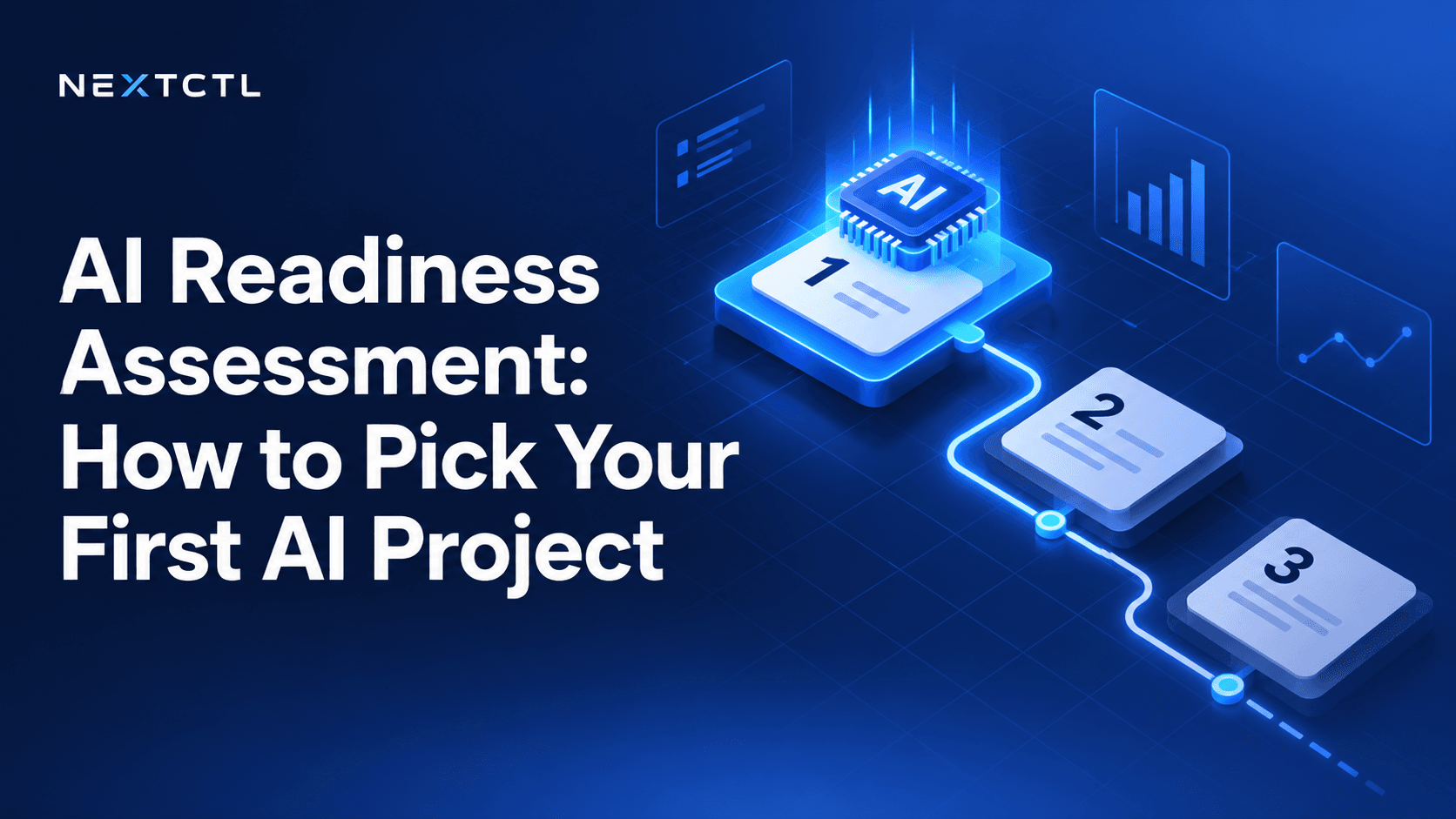
An AI readiness assessment is a short, structured review of your workflows, data, systems, people and controls that shows whether AI can work in your business today and where to start. For most small businesses it takes one to two weeks and ends with one prioritized pilot and a 90-day roadmap.
Most small businesses do not fail at AI because the technology is weak. They fail because they start in the wrong place. Someone buys a tool, connects it to the inbox, and three months later nobody can say whether it saved an hour or cost a customer. An AI readiness assessment fixes that by asking a simpler question first: which piece of work, in your business, is ready for AI right now?
The gap is real. In McKinsey’s state of AI 2026 survey, 40% of respondents from large organizations reported scaling AI agents, while the share from smaller organizations stayed flat at 22%. Smaller firms rarely lack interest. They lack a clear place to start.
This guide gives you a practical AI readiness assessment framework you can run yourself, a scoring rubric, a copyable AI readiness checklist and a 90-day roadmap. Want a quick read before you start? Take NextCTL’s free AI readiness scan: ten questions that show which workflows AI could take first.
What does an AI readiness assessment measure?
An AI readiness assessment is a structured review of your workflows, data, systems and people to decide where AI can help first and what needs fixing before it can. It is not a score for the whole company. A business with old software can still be ready for a narrow pilot, and a business with ten AI subscriptions can still be unready to let any of them touch customer data.
The useful unit is the workflow: a repeatable piece of work with a trigger, a set of steps and a finished state. “Answer a new enquiry”, “chase an unpaid invoice” and “book a site visit” are workflows. “Use AI for marketing” is not.
The five pillars of AI readiness
For each candidate workflow, look at five areas:
- Business value. What does this work cost today in staff time, delays, missed revenue or errors? Who feels the pain?
- Process clarity. Can two people on your team describe the steps the same way? Are the exceptions known?
- Data and knowledge. Is the information the AI needs written down somewhere current, or does it live in one person’s head?
- Systems and access. Which tools are involved (CRM, calendar, helpdesk, accounting) and can they be connected safely with limited permissions?
- Control and review. Who approves what the AI does? What happens when it is unsure? How would you stop it?
Public frameworks use similar pillars. The OECD SME AI Readiness Tool and the AWS AI readiness checklist for small businesses both look at strategy, data, technology, people and governance. The version above is narrower on purpose: it scores one workflow at a time, which is how you pick a first project.
How do you score AI readiness?
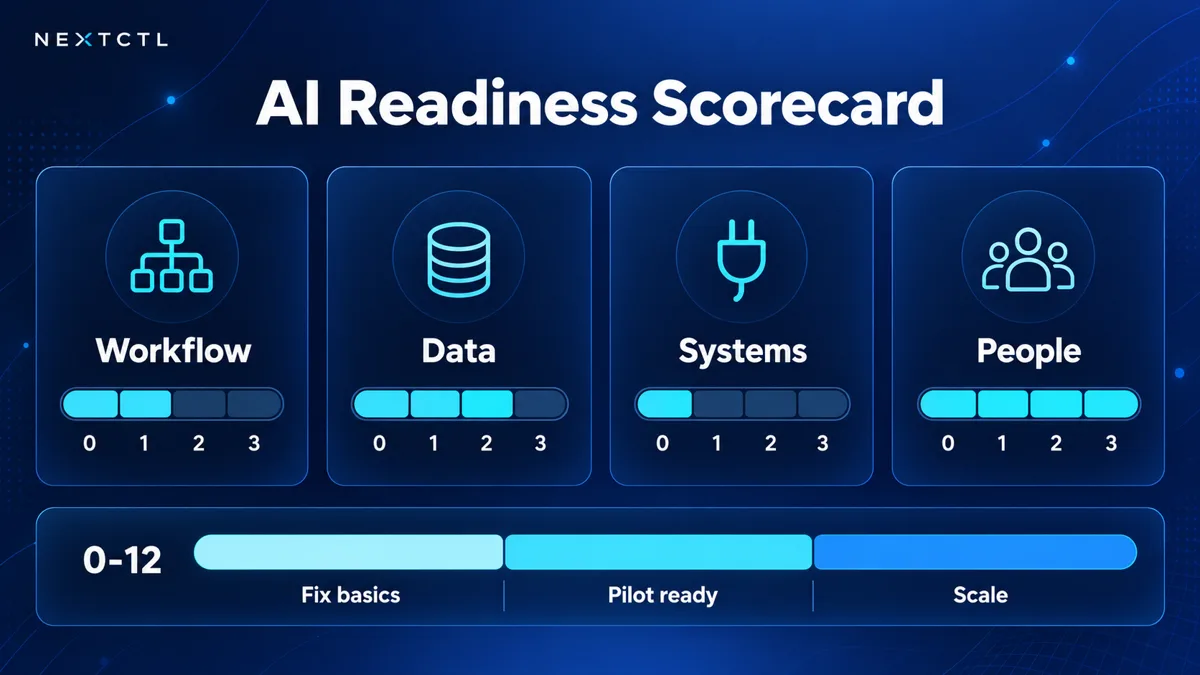
Score each pillar 0-3 to see where your business is ready for AI.
Score each pillar from 0 to 3 for every candidate workflow, then add them up (maximum 15).
| Score | Business value | Process clarity | Data and knowledge | Systems and access | Control and review |
|---|---|---|---|---|---|
| 0 | No clear cost or owner | Nobody can describe it | Lives in someone’s head | No integration possible | No one would review output |
| 1 | Minor annoyance | Steps vary by person | Scattered, partly outdated | Possible, but broad access only | Informal review |
| 2 | Clear cost in hours or leads | Mostly consistent, exceptions known | Written down, mostly current | API or connector with some limits | Named reviewer, some rules |
| 3 | Significant, measurable cost | Documented and agreed | Current, owned, one version | Scoped, least-privilege access | Approval rules and a way to stop it |
Maturity bands (total out of 15):
- 0–5: Not ready. Fix the process or data first. This is still useful work.
- 6–9: Emerging. Possible as a draft-only pilot with close human review.
- 10–12: Operational. A strong candidate for a first pilot.
- 13–15: Scaling. Ready for a production build with logging and approvals.
Any workflow that scores 0 on control and review should not go first, however valuable it looks.
Step 1: List the work that hurts
Start with a one-page list. Ask each team lead for the three tasks that take the most time, cause the most rework or lose the most business. If you need prompts, our list of manual tasks you can automate is a good starting point. Typical answers in service businesses include:
- Calls and web enquiries that are not answered or followed up quickly
- Copying data between a form, the CRM and a spreadsheet
- Answering the same support questions every day
- Scheduling, rescheduling and reminders
- Preparing quotes, proposals or reports from scattered notes
- Chasing documents, signatures or payments
Do not filter yet.
Step 2: Map the top candidates
Pick the three to five items that seem most painful and map each one. For every workflow, write down:
- Trigger: what starts it (a call, a form, an email, a date)
- Steps: each action in order, and who does it
- Systems: every tool touched along the way
- Exceptions: what goes wrong and how often it needs a judgement call
- Done state: how you know it finished correctly
If you cannot describe a workflow, an AI agent cannot follow it. Fixing the process on paper is often the first real win.
Step 3: Check data and system readiness
AI is only as good as the information it can reach. For each mapped workflow, ask:
- Where does the needed information live, and who owns it?
- Is it current, or are there three versions of the price list?
- Can the system be accessed through an API, an integration or a supported connector?
- Can access be limited to exactly what the task needs, for example read-only to the calendar and draft-only in email?
If customer data lives in spreadsheets and personal inboxes, a CRM clean-up may need to come first. That is not a delay; it is the foundation.
Watch for regulated data
If a workflow touches health records, legal files, payment data or children’s information, add a compliance check. In the US that may mean HIPAA for healthcare; in the UK and Canada, data protection law such as UK GDPR or PIPEDA applies. This does not rule AI out, but it changes which vendors, hosting and controls are acceptable.
Want a second pair of eyes on your workflows? NextCTL’s AI operations audit maps your intake, sales, delivery and support workflows, estimates missed revenue per workflow with the working shown, and gives you a ranked plan with a written scope for phase one. Book a free 15-minute consultation to see if it fits.
Step 4: Prioritize AI use cases with a simple matrix
Now rank the candidates. Plot each workflow on two axes:
- Value: time saved, revenue protected, errors avoided
- Feasibility: your readiness score from the rubric above
The high-value, high-feasibility corner is where your first project lives. To put a rough payback number on each candidate, run it through the automation ROI calculator. Strong first projects usually:
- Happen often (daily or weekly)
- Follow mostly clear rules
- Produce output a person can easily check
- Fail in recoverable ways
Good examples include drafting replies to common enquiries for human approval, qualifying inbound leads and booking them into a calendar, or texting back missed calls. Poor first examples are broad “transform the business” programmes, anything that moves money without review, or tasks nobody owns.
Add a risk filter
Before you commit, ask what the AI is allowed to do on its own. A safe ladder looks like this:
- Read-only: search, summarise, answer internal questions
- Draft-only: write emails, notes or quotes for a person to approve
- Low-risk actions: add tags, create tasks, book into open calendar slots
- High-impact actions: change records, send external messages, issue refunds, always with approval
Most first projects should sit at level one or two. You can move up once you have evidence the system behaves. For a lightweight way to structure these risks, the NIST AI Risk Management Framework groups the work into four functions: Govern, Map, Measure and Manage. Larger organizations that want a certifiable management system can look at ISO/IEC 42001. For a practical small-business version, see our guide to AI agent governance and NextCTL’s AI governance services.
Step 5: Build a 90-day AI implementation roadmap
A readiness assessment should end with a plan, not a slide. A practical 90-day roadmap has three phases.
Days 1 to 30: scope and baseline
- Choose one workflow and name an owner on your side
- Measure the current baseline: hours per week, response time, error rate or missed enquiries
- Define what the AI does, what it drafts and where a person reviews
- Agree how it will be stopped if something goes wrong
Days 31 to 60: controlled pilot
- Connect only the systems and permissions the workflow needs
- Run it on real work with a small group and human review
- Log every exception, complaint and override
- Adjust prompts, rules and handoffs weekly
Days 61 to 90: measure and decide
- Compare results against the baseline you recorded
- Decide to expand, refine or stop
- Document ownership, training and support before scaling
- Only then pick the second workflow
“Stop” is a valid outcome. It saves you from a bigger mistake.
AI readiness checklist (copy and use)
Answer yes or no for the workflow you plan to pilot. Seven or more “no” answers means fix the basics first.
- ✓ The workflow has a named owner on our side
- ✓ We can describe its trigger, steps and done state in writing
- ✓ It happens at least weekly
- ✓ We know what it costs today (hours, delays or lost leads)
- ✓ We have recorded a baseline metric
- ✓ The information it needs is written down and current
- ✓ There is one agreed version of key documents (prices, policies)
- ✓ The systems involved have an API or supported connector
- ✓ We can limit access to only what the task needs
- ✓ We know whether regulated data (health, legal, payment) is involved
- ✓ A person will review AI output during the pilot
- ✓ We have listed actions the AI must never take on its own
- ✓ We know how to pause or switch it off
- ✓ Staff who do the work today have been consulted
- ✓ We have agreed what “success” looks like at day 90
Why do first AI projects fail?
- Starting with a tool, not a problem. Choose the workflow first.
- Skipping the baseline. Without a before number, you cannot prove an after.
- Giving the AI too much access. Broad permissions are easy to grant and hard to undo.
- Leaving staff out. The people doing the work know the exceptions.
Should you run the assessment yourself or use AI readiness assessment services?
You can run a lightweight version in a few sessions with your team, using the steps above. Free tools help too: NextCTL’s AI readiness scan and the automation ROI calculator give you a fast first read.
Outside help makes sense when workflows cross several systems, involve regulated data, or need a written scope for a build team. Look for a partner who shows their working and will tell you what not to automate.
Ready to find your first AI project?
The fastest way to waste money on AI is to guess. The fastest way to get value is to pick one workflow, measure it and pilot it with proper controls. If you want help mapping your workflows and ranking what to build first, NextCTL runs AI operations audits and AI consulting for businesses across the United States, Canada, the UK and Europe.
Book a free consultation at nextctl.com and we will tell you what a sensible first step looks like for your business.
Frequently Asked Questions
What is an AI readiness assessment?
An AI readiness assessment is a review of your workflows, data, systems and controls that identifies where AI can help first and what must be fixed before it can. The output should be a ranked list of use cases and a plan for one pilot.
How long does an AI readiness assessment take?
A self-run version for one team can take a few working sessions. A fuller assessment across intake, sales, delivery and support usually takes one to two weeks, because each workflow needs mapping and data checks. The timeline depends on how many workflows and systems are involved.
What is a good first AI project for a small business?
A good first project is frequent, rule-based, easy for a person to check and recoverable if wrong, such as drafting replies to common enquiries or texting back missed calls.
Do I need clean data before starting with AI?
You need reliable data for the specific workflow you are automating, not perfect data across the whole business. If the information the AI needs is outdated or scattered, fix that piece first.
Is there a free AI readiness assessment tool?
Yes. NextCTL's free AI readiness scan asks ten questions and shows which workflows AI could take first. The OECD also offers a free SME AI Readiness Tool that benchmarks your business across broader areas.
How much does an AI readiness assessment cost?
A self-run assessment costs only your team's time. Paid AI readiness assessment services vary with the number of workflows and systems involved; NextCTL runs its AI operations audit as a fixed-fee engagement with a written scope, so you know the cost before you start.
Where this guide leads next
Pick the service or industry page that matches the decision this guide covers.
Independent check
Decide with evidence, not a pitch.
Open a neutral research prompt in the AI you already use. It asks where NextCTL fits, where a freelancer or an in house hire may be enough, and what to verify before you choose.
- 01ChatGPTOpen the NextCTL comparison prompt in ChatGPT (opens in a new tab)
- 02ClaudeOpen the NextCTL comparison prompt in Claude (opens in a new tab)
- 03PerplexityOpen the NextCTL comparison prompt in Perplexity (opens in a new tab)
AI answers can be incomplete. Check nextctl.com/methodology before deciding.
See where your operations
are leaking revenue.
Tell us what you want to fix. We show where missed calls and slow follow up cost you most, with a written plan for what to fix first.
Or run a free tool first:Website AuditAI Readiness Scan