
Blog
AI Customer Service Agents: Voice, Chat & Costs (2026)
How AI customer service agents work across chat and voice, what they cost, the best options compared, human handoff and a 30-day rollout for SMBs.
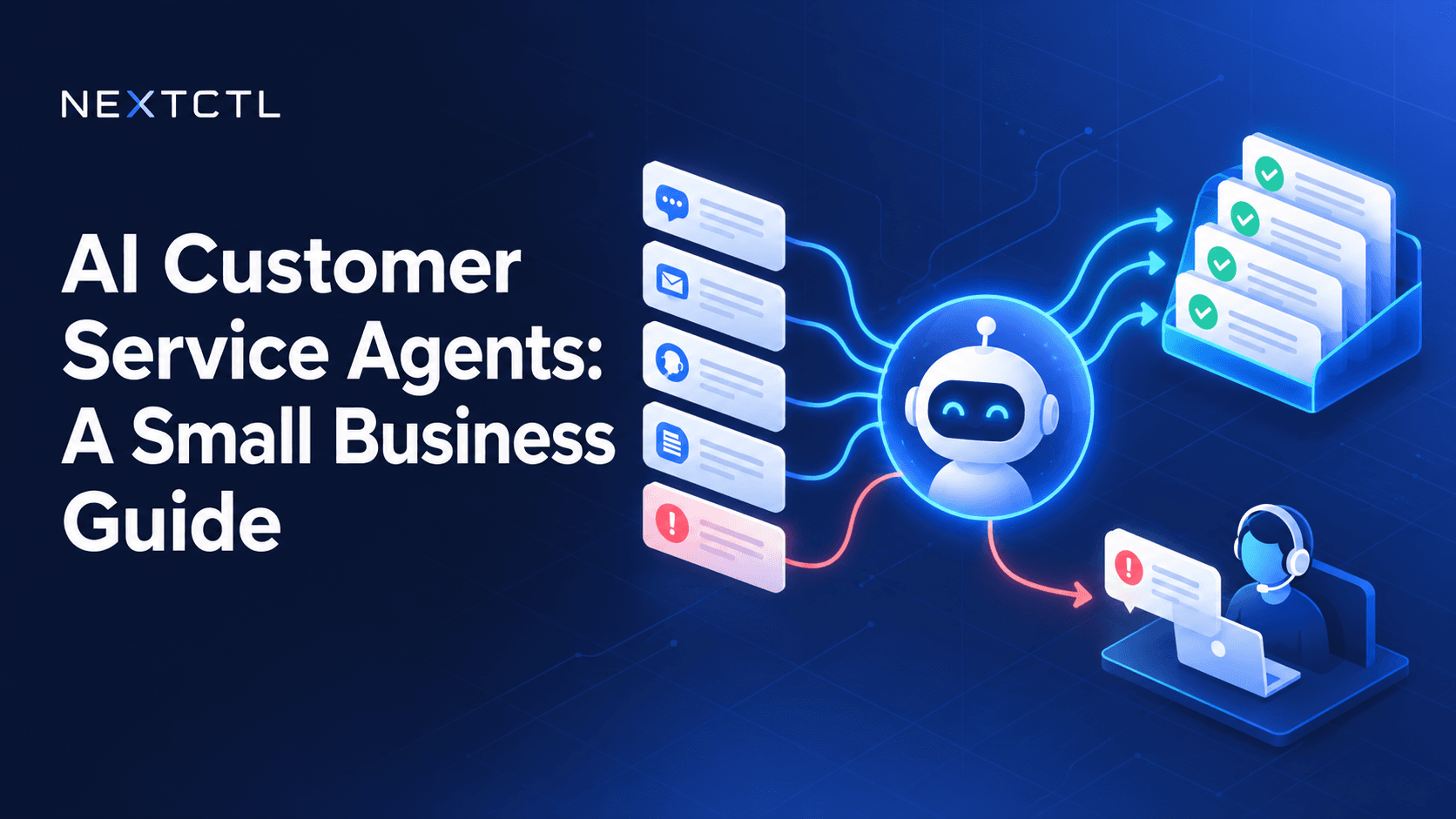
An AI customer service agent is software that understands customer questions, answers them from your approved knowledge, and takes simple actions such as checking an order or booking a call, through tools connected to your helpdesk or CRM. It hands anything complex or sensitive to a human, with the full conversation attached.
Your customers do not care whether a person or a machine answers their question. They care that the answer is right, it arrives quickly and someone helps them when it gets complicated. That is the real job of an AI customer service agent, and it is why the old “chatbot that sends you to the FAQ page” has lost its welcome.
The direction of travel is clear. Gartner predicts that by 2029 agentic AI will autonomously resolve 80% of common customer service issues without human intervention. Adoption is already broad: in McKinsey’s state of AI 2026 survey, chatbots were the most widely scaled AI tool, with 47% of respondents saying their organizations are scaling them. You do not need to wait until 2029 to benefit, but you do need to set it up carefully.
This guide explains what modern AI customer service agents do across chat and voice, which tasks to hand over first, how to compare the options, what drives cost, and how to roll one out in 30 days.
What is an AI customer service agent?
An AI customer service agent answers customer questions from your own knowledge base and, where you allow it, takes actions in your systems, such as checking an order, booking an appointment or opening a ticket. When a request is outside its scope or the customer is upset, it hands the conversation to a person with the full context attached.
AI chatbot vs AI agent: what changed
The words get used interchangeably, but there is a useful difference:
- A traditional chatbot follows scripted menus or matches keywords to canned answers. It breaks as soon as a customer phrases something unexpectedly.
- An AI chatbot uses a language model to understand the question and answer from your documents. It can explain, but it usually cannot do.
- An AI agent understands the question, looks up information in connected systems and takes approved actions, then logs what it did.
If you want the deeper version of this distinction, read agentic AI vs generative AI.
Agent assist vs autonomous agent
There are two ways to use AI in support, and many teams use both:
- Agent assist works alongside your human team: it suggests replies, summarises long threads and pulls up the right policy. A person still sends every message.
- An autonomous agent talks to customers directly and resolves routine requests on its own, within the limits you set.
Agent assist is a low-risk way to start. Autonomy can follow once you trust the answers.
Which customer service tasks should AI handle first?
The best starting point is the work your team repeats every day that follows clear rules. Common examples:
- Order and job status. “Where is my order?” or “When is the technician arriving?” answered from your order or scheduling system.
- Booking and rescheduling. Customers pick a slot from your real calendar instead of trading emails.
- Policy questions. Returns, warranties, opening hours, service areas, pricing ranges you publish.
- Account basics. Updating contact details or resending an invoice, within strict limits.
- Triage. Collecting the details your team needs (order number, photos, address) before a person picks it up.
Leave these with people, at least at the start:
- Complaints, cancellations and anything emotional
- Refunds, credits or exceptions to policy
- Legal, medical or financial advice
- Anything involving a safety risk
A good test is this: if a new hire in their first week could handle it with your help centre open, an AI agent probably can too.
Is it worth it? A quick test
Before you buy anything, pull the last month of tickets and tag them by topic. Ask three questions:
- Do a handful of repetitive, rule-based topics make up a large share of your volume?
- Is the correct answer to each of those topics written down somewhere?
- Would faster answers on those topics matter to customers or revenue?
If the answer to all three is yes, an AI agent is likely to pay off. If most tickets are one-off, judgement-heavy cases, start with agent assist instead.
How an AI support agent works behind the scenes
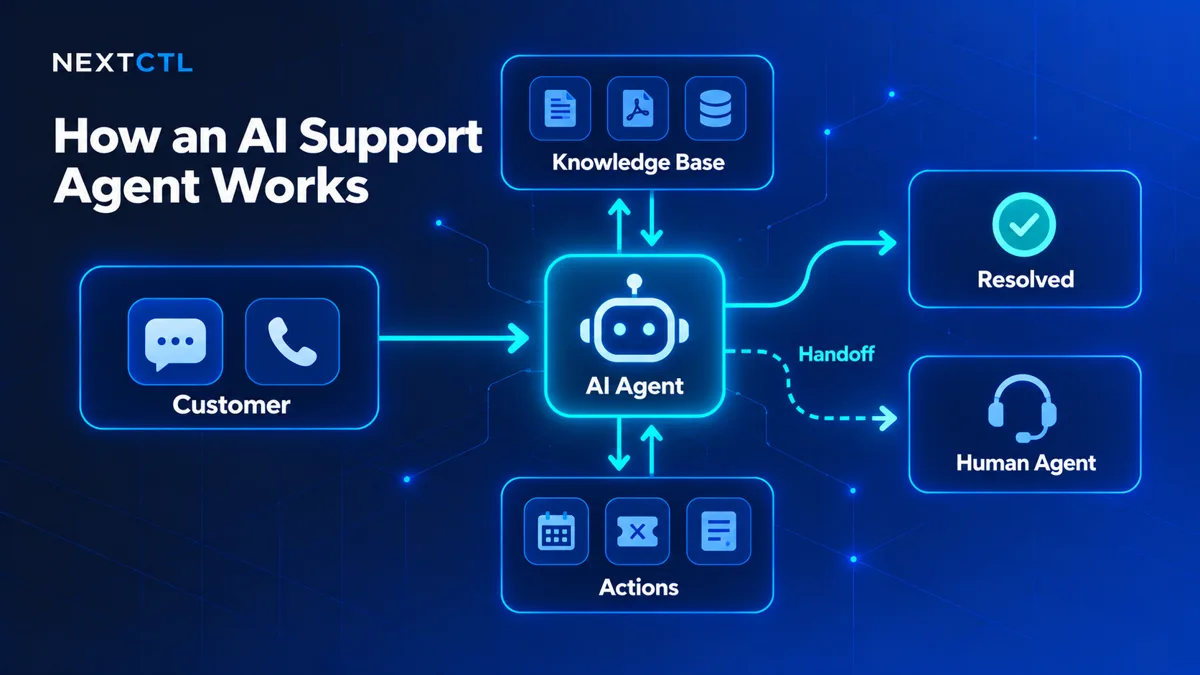
You do not need to be technical to buy one, but knowing the moving parts helps you ask better questions.
1. Knowledge grounding
The agent answers from approved sources: your help centre, policies, product sheets and past resolved tickets. This is usually done with retrieval-augmented generation (RAG), which finds the relevant passages first and then writes the answer from them. Our guide to RAG knowledge grounding explains how this works. If your knowledge base is outdated, the agent will be confidently outdated. Cleaning it up is part of the project.
2. Tool connections
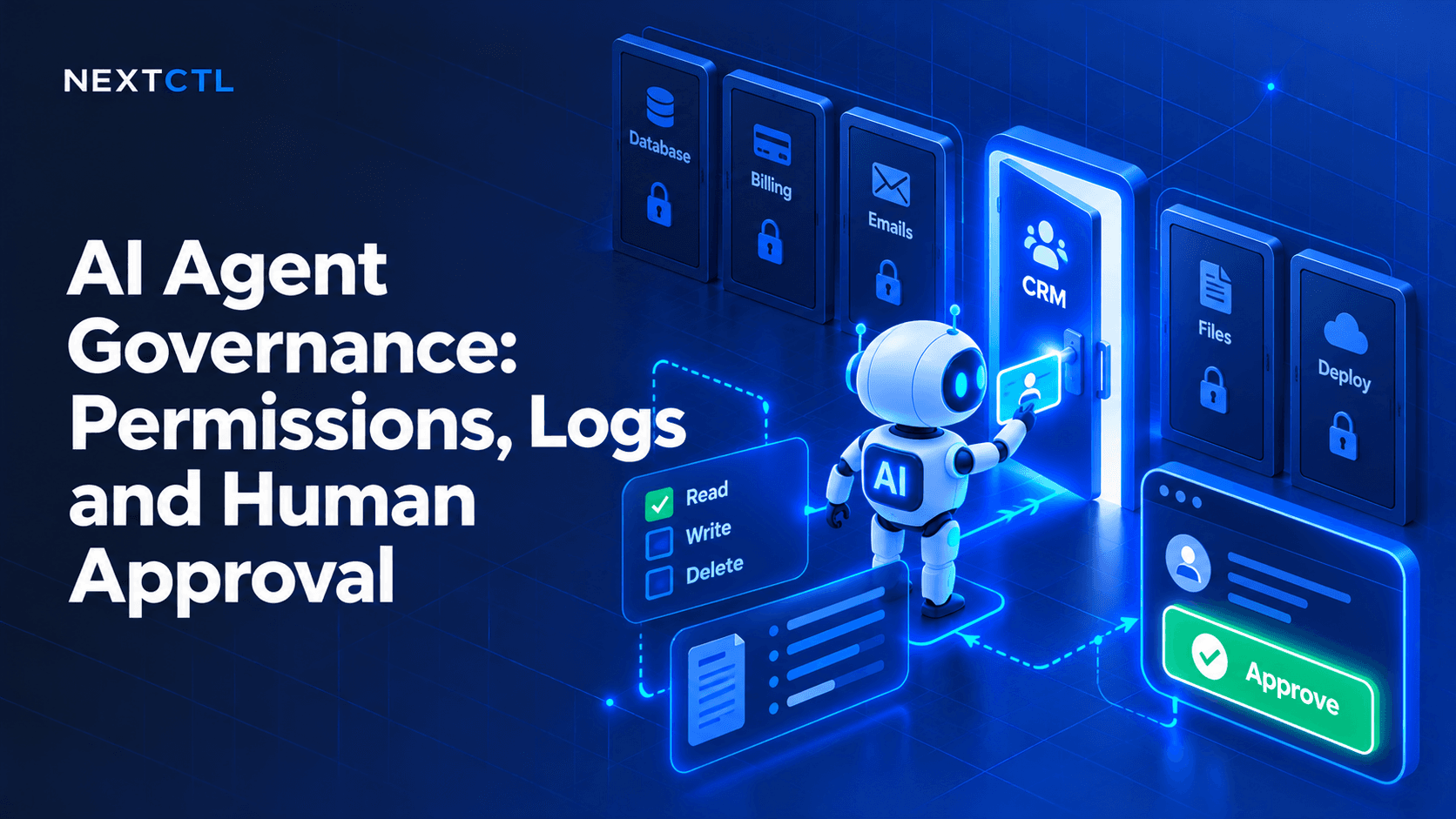
To take actions, the agent connects to systems like your helpdesk (Zendesk, Freshdesk, Gorgias, Intercom), CRM, ecommerce platform or calendar. See NextCTL’s integrations for common connections. Each connection should have the smallest permission that does the job. Reading order status is very different from issuing refunds.
3. Guardrails
Rules that sit outside the language model decide what the agent may never do, which topics it must decline and when it must hand off. These should be enforced in the system, not just written into a prompt. The OWASP Top 10 for LLM Applications is a useful checklist of what can go wrong, including prompt injection and excessive agency.
4. Handoff and logging
Every conversation and action is logged, and every escalation passes the full transcript and collected details to a person, so the customer never has to repeat themselves.
Thinking about an AI agent for your helpdesk? NextCTL builds AI customer service agents that answer from your knowledge base inside the helpdesk you already use and hand off to your team with full context. Book a free consultation to talk through your support queue.
Can AI handle phone support? The AI voice agent for customer service
Chat is only half the picture. Many customers still call, especially in home services, healthcare and local businesses. An AI voice agent for customer service answers the phone, understands natural speech, answers routine questions, books appointments and transfers to a person when needed.
Voice adds a few extra design points:
- Latency. Callers notice pauses, so response speed matters more than in chat.
- Transfer rules. Decide which phrases or situations trigger a warm transfer, and what happens out of hours.
- Disclosure and consent. Tell callers they are speaking with an AI assistant. If you plan outbound AI voice calls, check consent rules in each country first.
- Call summaries. Every call should land in your CRM or helpdesk with a transcript and summary.
NextCTL builds AI voice agents and an AI receptionist that answers calls and books jobs. If you are comparing receptionist products, see our roundup of the best AI receptionist options.
Designing a human handoff customers do not hate
Handoff is where most AI support goes wrong. A few rules make a big difference:
- Make escalation easy. If a customer asks for a person, connect them or tell them clearly when someone will reply. Never trap them in a loop.
- Escalate on signals, not just requests. Repeated questions, negative sentiment, high-value accounts or specific keywords (cancel, complaint, chargeback) should trigger a handoff.
- Pass the context. The agent should summarise the issue, list what it already tried and attach order numbers or photos.
- Be honest about hours. Out of hours, say when a person will pick it up and set that expectation in the ticket.
- Say it is AI. Customers are more forgiving of an assistant that is upfront about being one. Some jurisdictions are moving towards disclosure requirements, so it is good practice anyway.
Best AI customer service agent options compared
There is no single best AI agent for customer service. The right option depends on where your knowledge lives, how many systems the agent must act in and whether you need voice.
| Option | Examples | Best for | Strengths | Watch out for | Pricing model |
|---|---|---|---|---|---|
| Built-in helpdesk AI | Intercom Fin, Zendesk AI, Gorgias AI Agent | Teams whose knowledge and tickets already live in one helpdesk | Fastest to launch; native handoff | Outcome-based fees can scale quickly; limited actions outside the helpdesk | Usually a seat or plan fee plus usage. Intercom charges per seat plus a fee per AI outcome (Intercom pricing); Zendesk is mainly per agent seat with some usage-based features (Zendesk pricing); Gorgias charges when the AI agent resolves a conversation (Gorgias pricing). |
| Standalone AI support tools | Chatbase, Botpress | Website chat and multi-channel answers | Good answer quality; many channels | Another system to connect and another set of data permissions | Typically monthly plans with usage allowances. Chatbase plans include a monthly quota of message credits (Chatbase pricing). For other tools, pricing varies, so check the vendor. |
| AI voice agents | Voice add-ons in helpdesks, or custom voice agents | Phone-heavy businesses: bookings, order status, after-hours calls | Answers every call; can book and route | Telephony and speech costs; needs careful handoff to staff | Pricing varies, check the vendor; usually tied to call minutes or volume. |
| Custom AI agent | Built for you, for example by NextCTL | Actions across several systems, strict data controls, voice plus chat | You own the logic; any integration; custom escalation | Higher upfront cost; needs a build partner and ongoing care | Upfront build plus hosting, model usage and support. NextCTL gives a fixed quote after scoping. |
Vendor pricing pages checked October 2026; plans change often, so confirm current terms with each vendor.
Whichever you choose, ask every vendor:
- Which sources does it answer from, and how do we update them?
- What actions can it take, and can we restrict each one?
- How does it hand off, and what does my team see?
- Where is conversation data stored and for how long?
- Can we see logs of every answer and action?
- How do we test it before customers see it?
Regulated industries
If you handle health information, payment data or other sensitive records, check compliance before you choose. Healthcare providers in the US need a vendor that will sign a HIPAA business associate agreement; anyone taking card details should keep payment entry out of the AI conversation for PCI DSS; and a SOC 2 report is a reasonable ask for any vendor holding customer conversations. See NextCTL’s work in healthcare. A framework such as the NIST AI Risk Management Framework helps structure the review.
How much does an AI customer service agent cost?
Cost depends on three things more than anything else:
- Pricing model. Built-in helpdesk AI is often charged per seat, per conversation or per resolution. Standalone tools usually charge a monthly subscription tiered by message volume. Custom builds have an upfront build cost plus hosting, model usage and support.
- Channels. Voice costs more to run than chat because of telephony and speech processing.
- Actions and integrations. An agent that only answers questions is cheaper than one that acts in your CRM, booking system and billing.
For a small business, an off-the-shelf tool on one channel is the cheapest way to start. A custom agent becomes better value when per-resolution fees add up at high volume, or when you need actions across several systems. NextCTL gives a fixed quote after scoping your support queue, so you can compare it against tool subscriptions before you commit.
How do you measure an AI support agent?
Before launch, record your baseline: first response time, volume by topic, tickets per agent and customer satisfaction if you track it. After launch, track:
- Resolution (containment) rate: conversations closed without a person, checked by sampling, not just by counting
- First response time: how fast customers get a useful first answer
- CSAT: thumbs up or down, or a short survey after the conversation
- Escalation rate and quality: how often handoffs happen and whether they arrive with enough context
- Wrong answers: review a weekly sample and fix the source content
- Team time: hours freed for complex cases
Be wary of “deflection” as the only metric. A customer who gives up is not a resolved customer. For broader context on what customers expect from AI service, the Zendesk CX Trends report is updated each year.
A simple 30-day rollout plan
- Week 1: audit your top support topics and pick the five to ten most common, rule-based ones. Clean up the knowledge behind them so there is one correct answer for each.
- Week 2: start internal. Let your team use the agent to draft replies (agent assist) and flag bad answers.
- Week 3: go live on one channel, usually website chat, with clear handoff.
- Week 4: review, fix content gaps and add one action at a time.
- After day 30: expand to email, SMS or voice once quality holds.
Put routine support on autopilot, keep people for the rest
An AI customer service agent should make your support feel faster and more human, not less. Start small, ground it in good content, give it narrow permissions and make handoff effortless.
If you want help scoping an agent for your helpdesk, website chat or phone line, NextCTL designs and builds AI customer service agents, AI voice agents and AI chatbots for businesses in the US, Canada, the UK and Europe. Book a free consultation at nextctl.com.
Frequently Asked Questions
What is the difference between an AI chatbot and an AI customer service agent?
An AI chatbot mainly answers questions from your content. An AI customer service agent can also take approved actions in your systems, such as checking order status or booking appointments, and hands off to a person when needed.
Will an AI support agent replace my customer service team?
It is better treated as a way to take routine, repetitive questions off your team so they can focus on complex, sensitive and high-value conversations. Most businesses keep people in the loop for escalations and exceptions.
Can an AI customer service agent work inside my existing helpdesk?
Yes, in most cases. Agents can be connected to common helpdesks, CRMs and ecommerce platforms through their APIs, so tickets, notes and handoffs stay in the tool your team already uses.
How do I stop an AI agent from giving wrong answers?
Ground it in a clean, current knowledge base, restrict it to approved topics, require it to say when it does not know, review a sample of conversations each week and fix the source content behind any mistakes.
How much does an AI customer service agent cost?
It depends on the pricing model, channels and integrations. Helpdesk AI is often priced per seat or per resolution, standalone tools by monthly message volume, and custom agents by an upfront build plus running costs. Voice costs more to run than chat.
Can an AI agent answer phone calls?
Yes. An AI voice agent can answer calls, understand natural speech, answer routine questions, book appointments and transfer to a person, with a transcript and summary logged in your CRM or helpdesk.
Where this guide leads next
Pick the service or industry page that matches the decision this guide covers.
Independent check
Decide with evidence, not a pitch.
Open a neutral research prompt in the AI you already use. It asks where NextCTL fits, where a freelancer or an in house hire may be enough, and what to verify before you choose.
- 01ChatGPTOpen the NextCTL comparison prompt in ChatGPT (opens in a new tab)
- 02ClaudeOpen the NextCTL comparison prompt in Claude (opens in a new tab)
- 03PerplexityOpen the NextCTL comparison prompt in Perplexity (opens in a new tab)
AI answers can be incomplete. Check nextctl.com/methodology before deciding.
See where your operations
are leaking revenue.
Tell us what you want to fix. We show where missed calls and slow follow up cost you most, with a written plan for what to fix first.
Or run a free tool first:Website AuditAI Readiness Scan